GPT-5.6 Luna Pricing: 0.07x Credit Multiplier on Buda
GPT-5.6 Luna pricing on Buda now shows a 0.07x credit multiplier. Learn how Credits work, when to use Luna, and which AI models are new.

GPT-5.6 Luna now carries a much lower relative credit rate on Buda.
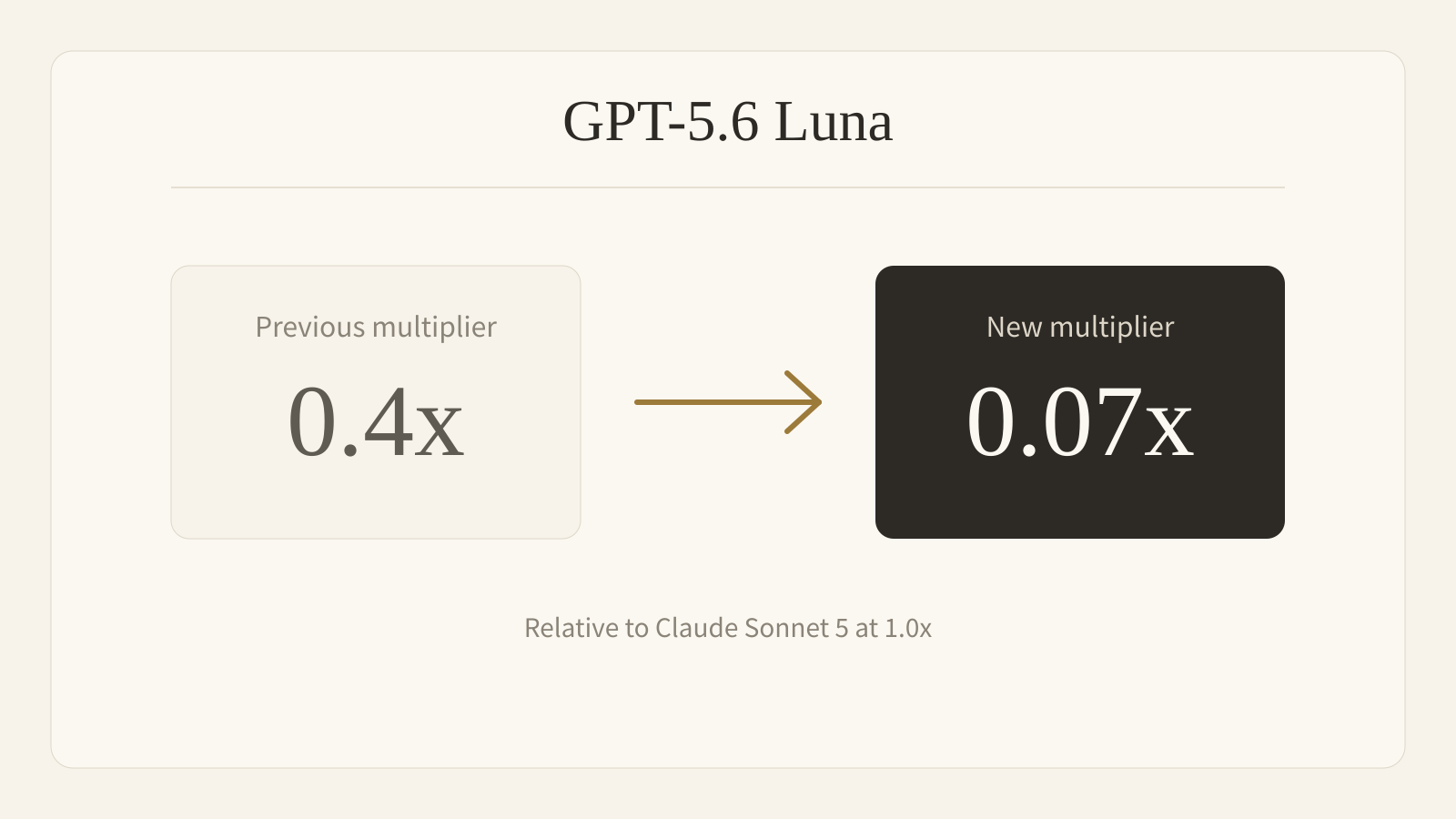
Its displayed credit multiplier has dropped from 0.4x to 0.07x, relative to Claude Sonnet 5 at 1.0x. Buda has also made Luna the default model behind Auto, so routine Agent work can start on the lowest-credit GPT-5.6 route without manual model selection.
For teams running repeated extraction, classification, routing, monitoring, and drafting tasks, this changes the economics of leaving an Agent at work.
What changed in GPT-5.6 Luna credit usage?
The public Buda change is the model's credit multiplier:
| Buda model comparison | Before | Now |
|---|---|---|
| GPT-5.6 Luna multiplier | 0.4x | 0.07x |
| Auto default | Earlier GPT route | GPT-5.6 Luna |
| Free-plan access | Available | Available |
Buda's pricing page now lists GPT-5.6 Luna at 0.07x. The Buda Credits documentation defines this number as a relative comparison with the 1.0x baseline, not as a fixed per-message price.
The upstream model-rate update is what moved the catalog multiplier, but Buda does not expose those upstream per-token rates as its retail billing unit. Users spend Buda Credits, and actual usage is calculated from the work performed.
What does 0.07x credits mean?
The multiplier is a comparison, not a fixed charge per message.
Buda uses Claude Sonnet 5 as the 1.0x display baseline. A 0.07x label means Luna's blended catalog cost is roughly 7% of that baseline for the same modeled token mix.
Actual credit usage still depends on input tokens, output tokens, cache usage, and any tools the Agent calls. Very small requests have a minimum charge of 1 credit, while tools such as Web Search or Browser add their own usage.
The useful conclusion is simple: for token-heavy routine work, Luna now stretches a Buda credit balance much further than before.
GPT-5.6 Luna is now Buda's Auto default
Buda's Auto selection now resolves to GPT-5.6 Luna.
That makes Luna the first route for everyday execution when a user does not choose a model manually. It also gives older Agents a smooth upgrade path: saved selections for retired GPT-5.4 and GPT-5.5 models fall back to Auto instead of breaking the workflow.
Auto does not mean every task should stay on Luna. It means the workflow can begin cheaply, then move difficult or sensitive steps to a stronger model when the expected improvement justifies the extra credits.
The best Agent tasks for GPT-5.6 Luna
Luna fits work that is frequent, structured, and easy for a human or a later model to check:
- classifying support messages or incoming leads
- extracting fields from documents and webpages
- routing tasks to the right Agent or queue
- summarizing routine updates and monitoring results
- drafting standard replies from an approved template
- running heartbeat checks and recurring Automations
- preparing data before a stronger model reviews the exceptions
For ambiguous decisions, complex research, difficult coding, or high-risk final output, route the work to GPT-5.6 Terra, GPT-5.6 Sol, Claude Sonnet 5, or another model that matches the job.
The efficient pattern is not one model everywhere. It is cheap execution, deliberate escalation, and human review at the consequential points.
Other new AI models recently added to Buda
Luna's lower credit cost is part of a broader model refresh. Buda has recently added or promoted several current-generation routes:
| Model | Buda credit multiplier | Access | Useful for |
|---|---|---|---|
| GPT-5.6 Luna | 0.07x | Free, Auto default | High-volume routine execution |
| Gemini 3.6 Flash | 0.5x | Free | Fast general Agent work |
| GPT-5.6 Terra | 0.7x | Free | Balanced daily workflows |
| Claude Sonnet 5 | 1.0x | Free | General reasoning and production work |
| Claude Opus 5 | 1.7x | Subscription | Deep reasoning and difficult review |
| GPT-5.6 Sol | 1.9x | Paid plan | Complex GPT workflows |
| Claude Fable 5 | 3.3x | Subscription | Highest-cost specialized Claude work |
Gemini 3.6 Flash replaced Gemini 3.5 Flash in the selector. GPT-5.6 Sol, Terra, and Luna replaced older GPT-5.4 and GPT-5.5 routes. Claude Sonnet 5 and Opus 5 replaced older Sonnet and Opus generations, while Fable 5 remains the highest-cost Claude route currently available in Buda.
This is not a leaderboard. The model with the largest multiplier is not automatically the right model. Buda exposes the tiers so an Agent Manager can spend more only where better judgment changes the outcome.
GPT-5.6 Luna vs Terra vs Sol
The three GPT-5.6 variants serve different parts of a workflow:
- Luna, 0.07x: speed and repeated execution
- Terra, 0.7x: balanced everyday work
- Sol, 1.9x: difficult reasoning and higher-stakes output
A practical workflow might let Luna collect and normalize information, Terra produce the first complete result, and Sol inspect only the difficult exceptions. The human remains responsible for the final decision.
See the full GPT-5.6 model family on Buda or compare current access and credits on the Buda pricing page.
FAQ
How much does GPT-5.6 Luna cost on Buda?
There is no fixed credit price per message. GPT-5.6 Luna is displayed at 0.07x relative to Claude Sonnet 5 at 1.0x. Actual Buda credit usage depends on input and output length, cache usage, and any tools called during the run. Small token-billed requests have a minimum charge of 1 credit.
Is GPT-5.6 Luna available on Buda Free?
Yes. GPT-5.6 Luna and GPT-5.6 Terra are available on Free. GPT-5.6 Sol requires a paid plan.
Is GPT-5.6 Luna the default model on Buda?
Yes. Buda's Auto model selection currently resolves to GPT-5.6 Luna.
Does 0.07x mean every message costs 0.07 credit?
No. It is a relative display multiplier. Buda calculates usage from tokens and tools, and small token-billed requests have a minimum charge of 1 credit.
Which new models are available on Buda?
Recent additions and upgrades include GPT-5.6 Sol, Terra and Luna, Gemini 3.6 Flash, Claude Sonnet 5, Claude Opus 5, and Claude Fable 5. Availability varies by model and plan.
Use Auto for a low-friction start, then choose a stronger model only where the task needs it. Open the Buda dashboard and let the workflow spend intelligence where it matters.