AI Agent Tools: The Stack Agents Need to Finish Real Work
A practical guide to the execution, context, reusable procedures, permissions, and review layers behind useful AI agents.

AI Agent Tools: The Stack Agents Need to Finish Real Work
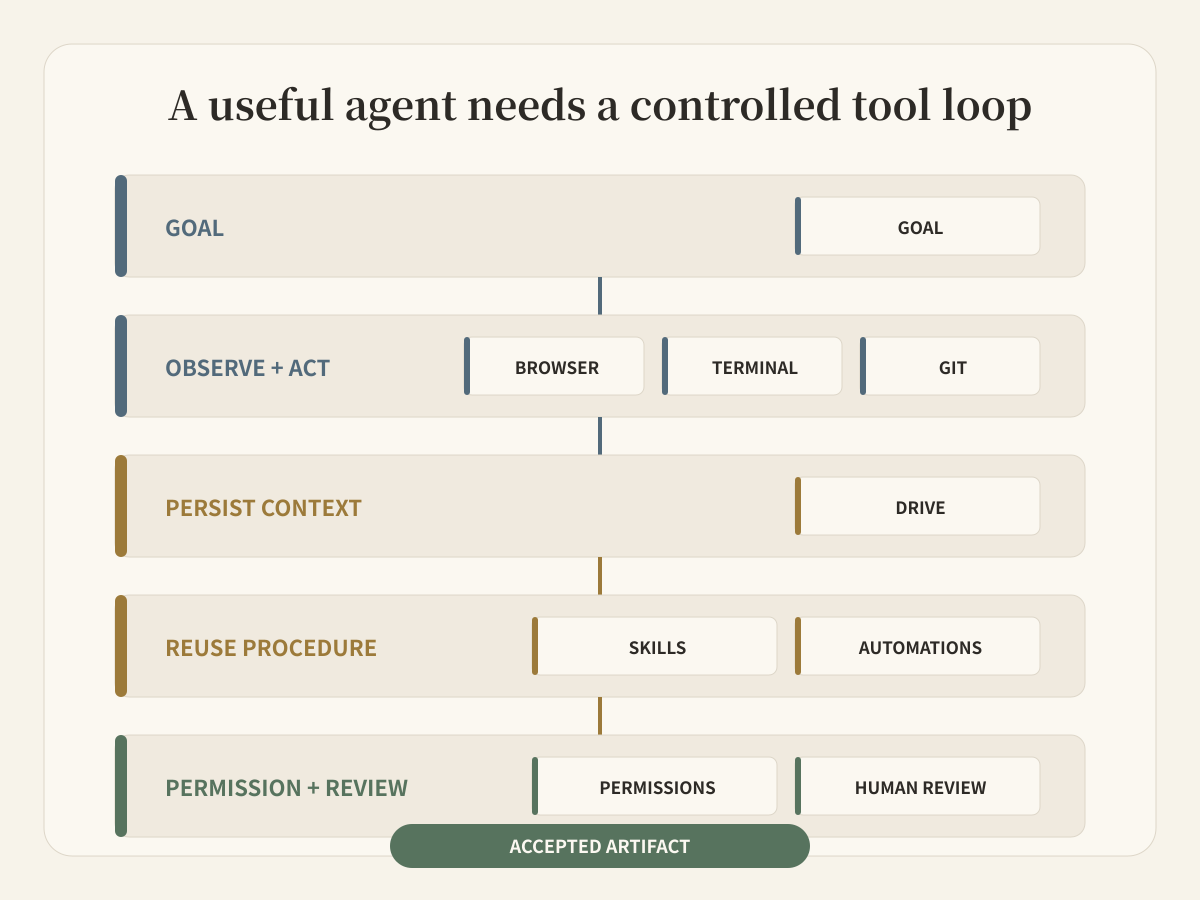
An AI agent does not become useful because it has the longest tool menu. It becomes useful when the tools form a controlled loop: observe the situation, act in the right environment, preserve context, reuse a known procedure, and stop for review before the result matters.
That is the practical meaning of AI agent tools. Browser, Terminal, Git, Drive, Skills, connectors, Automations, permissions, and human review are not separate feature badges. Together they determine whether an agent can move from a request to a visible, reviewable artifact.
The short answer: most teams need four layers. An execution layer to browse and run work. A context layer to preserve files and state. A procedure layer to make good work repeatable. A control layer to limit access and let people accept the result.
Stop evaluating tools as a checklist
A common buying process counts integrations and tool names. That misses the operating questions:
- Can the agent inspect the source, or only receive copied text?
- Can it execute a deterministic command when language reasoning is not enough?
- Does the next session receive the files and decisions from the previous one?
- Can a team turn one successful run into a reusable procedure?
- Is access narrow enough for the task?
- What exactly does a human review: a tool call, a diff, or the finished artifact?
Anthropic draws a useful distinction between workflows, where code defines the path, and agents, where the model dynamically directs tool use. Its guidance on writing tools makes the same point from another angle: a few clear, high-impact tools are better than a large, ambiguous toolbox.
The right stack therefore starts with the job and its acceptance test. “Research five competitors, save the evidence, update the comparison, and ask before publishing” is a toolable task. “Handle marketing” is not.
Layer 1: Browser for the outside world
The Browser is the observation surface. It lets an agent open current pages, follow links, inspect live interfaces, and collect evidence that was not present in the original prompt.
Browser access is useful for product research, source verification, form-based operations, public-data collection, and checking the result of a deployed page. It is also a risk surface. Sessions, forms, downloads, and authenticated sites can expose sensitive actions.
A serious browser tool should therefore answer three questions:
- Which sites and signed-in sessions can this agent reach?
- Are destructive or external actions separated from reading?
- Can a reviewer see the source and the resulting artifact?
The Browser should not replace source discipline. An agent still needs to record the URL, date, relevant excerpt, and evidence boundary instead of returning “I found this online.”
Layer 2: Terminal and Git for deterministic execution
Language models are good at interpretation. Terminals are good at exact operations.
With Terminal access, an agent can run parsers, tests, data transforms, build commands, image tools, and validation scripts. The important shift is from describing what should happen to producing evidence that it happened: exit codes, generated files, test results, and repeatable commands.
Git adds a reviewable history for code and text-based projects. It records what changed, supports branches and diffs, and gives another person a concrete object to inspect. Git is not required for every business workflow, but when the output belongs in a repository, it is a stronger handoff than pasting code into chat.
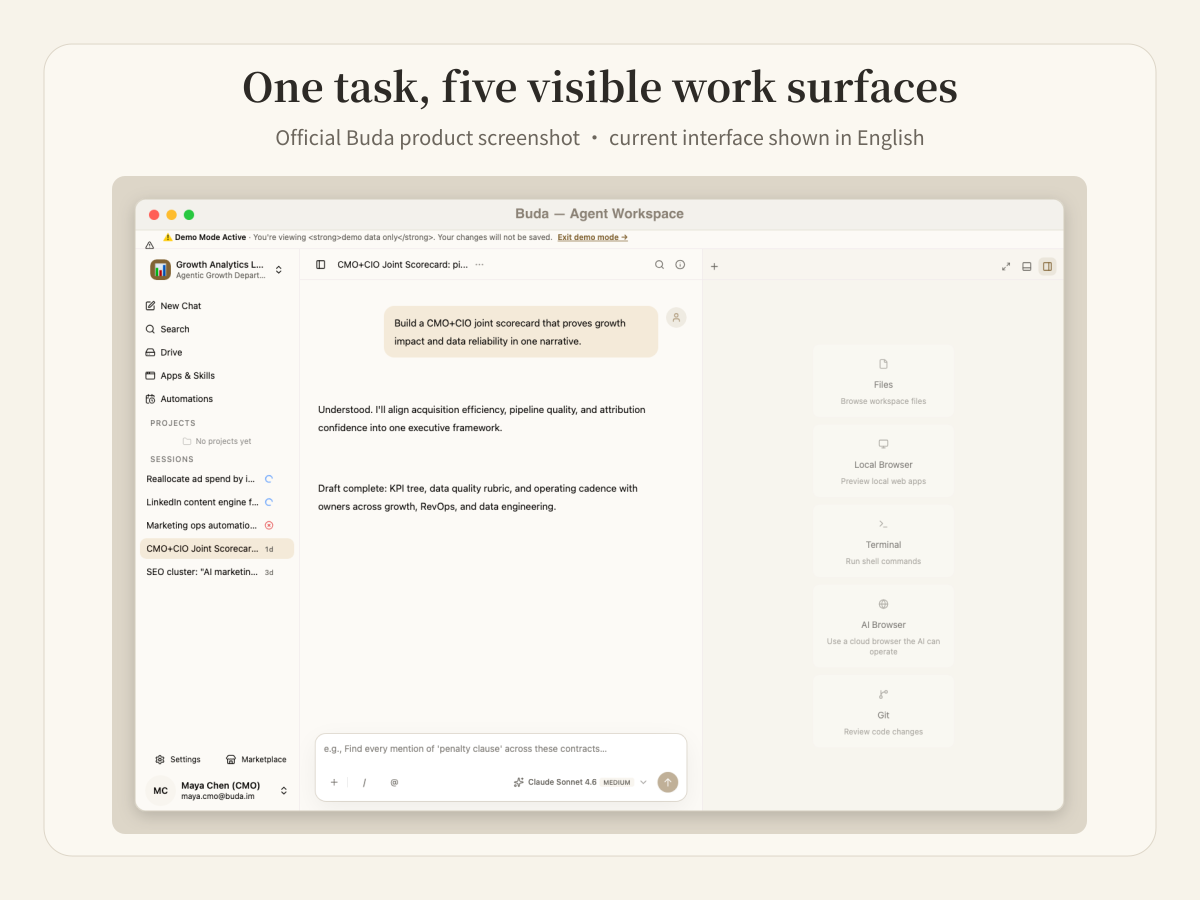
The current Buda Agent Workspace makes these execution surfaces visible together. The screenshot below is an official Buda product image. It shows the Files, Local Browser, Terminal, AI Browser, and Git panels under the same task instead of hiding execution behind one chat response.
Layer 3: Drive turns context into inspectable material
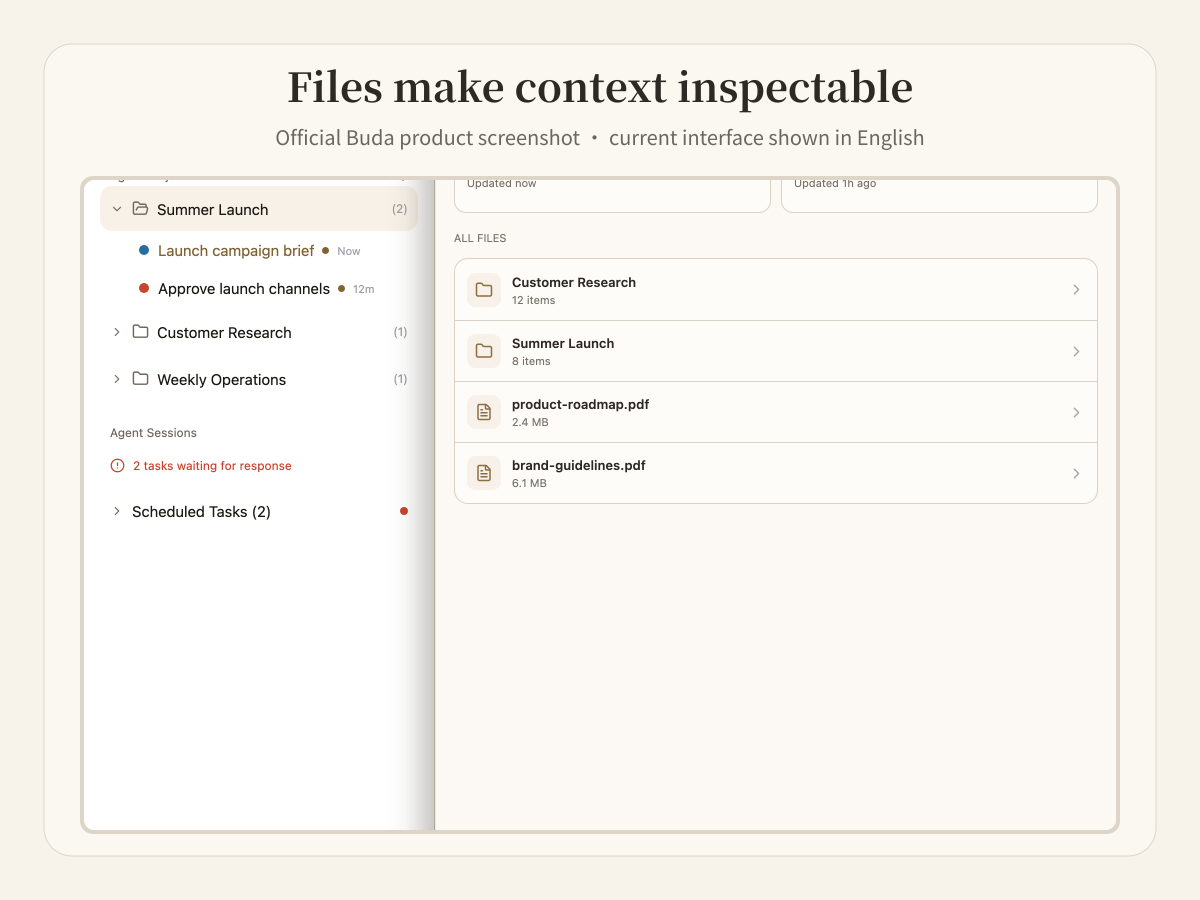
Context is not the same as a long conversation. A durable agent needs files that people can open, rename, compare, and reuse.
Drive can hold source documents, operating rules, research snapshots, intermediate data, accepted outputs, and the next-step note. That makes continuity explicit. A teammate can inspect the same material without reproducing the original prompt or trusting a summary of an old chat.
A good context layer separates at least three things:
- source material: what the agent may treat as input;
- working material: drafts, caches, extracts, and temporary outputs;
- accepted material: the file or record a human has approved for downstream use.
This separation matters because “the agent remembers it” does not tell a team whether the memory is current, sourced, or accepted.
Layer 4: Skills and connectors make work repeatable
A tool performs an operation. A Skill describes how to combine operations for a recurring job.
For example, “open a page” is a Browser action. “Audit a landing page, capture the canonical tag, compare mobile layout, record broken links, and produce a review report” is a reusable procedure. The procedure should define inputs, outputs, evidence requirements, and stop conditions.
Connectors and MCP servers extend reach into external systems. They should not be treated as blanket access. Each connection needs a clear account, scope, credential owner, and revocation path. Buda also provides a Marketplace where teams can search for and install Skills instead of rebuilding every procedure from scratch.
Use a Skill when the process is stable enough to repeat. Keep the first few runs visible and reviewed. Automation should come after the procedure works, not before.
Layer 5: Automations supply timing, not judgment
An Automation answers “when should this run?” It can trigger a daily report, a weekly check, or a one-time follow-up. It does not decide whether the result is correct.
Scheduled work needs the same context and controls as manual work:
- a named Agent and durable workspace;
- a bounded prompt or procedure;
- explicit input sources;
- a visible output location;
- failure reporting;
- a reviewer or downstream acceptance rule.
Without those pieces, scheduling simply repeats an unclear task faster.
Layer 6: Permissions define the blast radius
Permissions should match the job, not the most powerful tool available.
A research agent may need public Browser access and read-only files. A coding agent may need one repository and a test environment. A finance agent may need to read invoices but should not release a payment without a separate approval boundary.
Useful permission design includes:
- separate Spaces or Agents for different clients and data domains;
- per-agent integrations instead of one shared credential pool;
- repository or folder scope;
- read versus write boundaries;
- confirmation for sensitive external actions;
- the ability to remove a member or disconnect an integration.
Buda documents each Agent as running in its own cloud computer with Files, Browser, Terminal, and Git, while Space and Drive boundaries define which shared material it can reach. Feature availability varies by plan, so teams should verify the exact tool set before purchase.
Layer 7: Human review closes the loop
Review is not a decorative final step. It is where responsibility returns to a person.
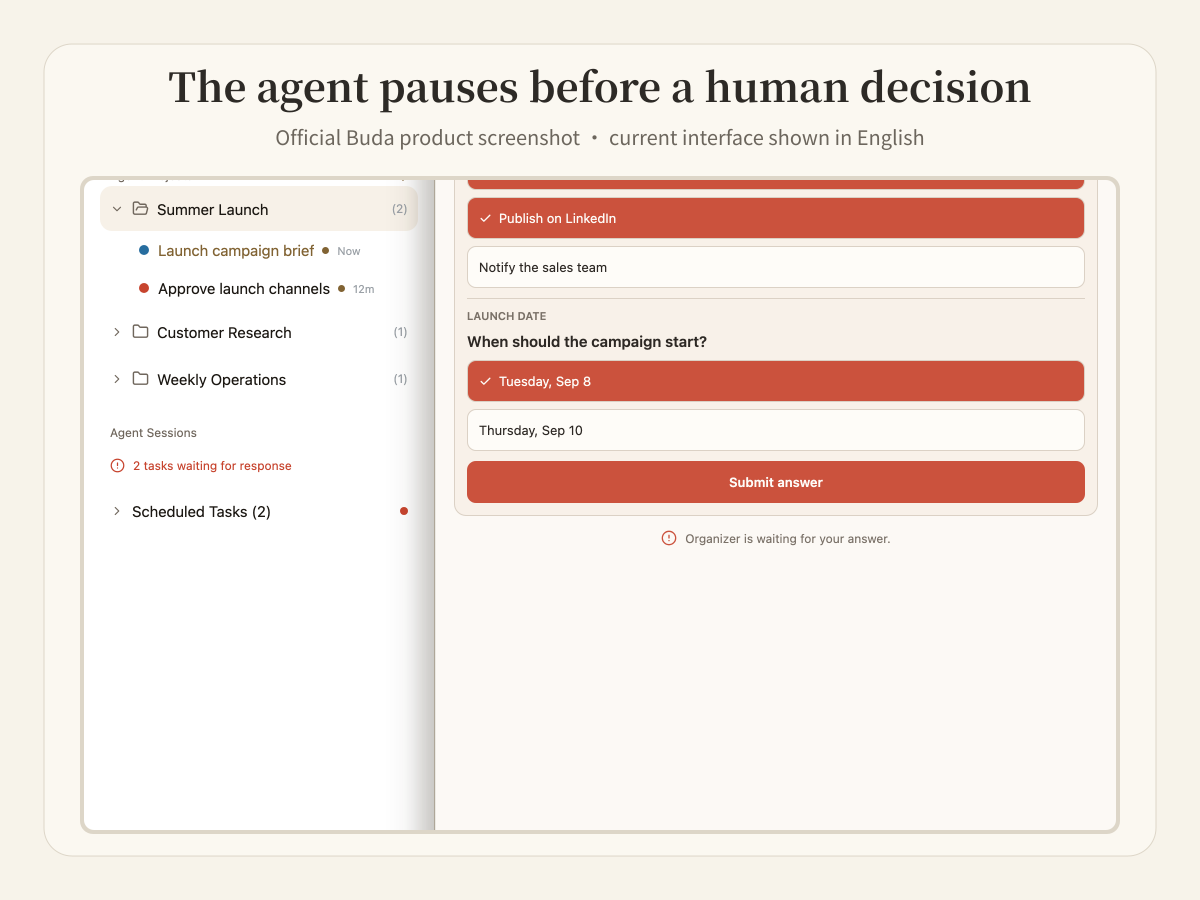
Tool confirmation asks whether an action may execute. Artifact review asks whether the result is good enough to use. A campaign brief, report, code diff, spreadsheet, or customer response needs an acceptance decision that matches its consequence.
The current Buda interface can pause and ask for a decision before work continues. That is more useful than requiring a person to watch every intermediate tool call. The reviewer can focus on the choice or output that changes the business state.
Use this stack test before choosing a platform
| Layer | The platform should answer | Failure signal |
|---|---|---|
| Browser | What can the agent observe and operate? | Sources and external actions are invisible |
| Terminal | Can it run deterministic tools and validators? | Work stops at suggested commands |
| Git | Can repository changes be diffed and reviewed? | Code is pasted without history |
| Drive | Where do sources, state, and artifacts persist? | Continuity depends on chat summaries |
| Skills/connectors | How does one good run become repeatable? | Every run rebuilds the method |
| Automations | What triggers the work and reports failure? | Schedules produce silent output |
| Permissions/review | Who can access, act, and accept? | Broad credentials and no accountable reviewer |
Do not buy every layer at once. Start with one workflow whose output can be inspected. Give the agent only the tools it needs. Run it manually. Record the missing context and risky decisions. Then add a reusable Skill and schedule only after the review path works.
A concrete Buda workflow
Take a weekly competitor update:
- Browser opens official release notes and source pages.
- Drive stores dated snapshots and the current comparison brief.
- Terminal extracts changes and checks links.
- Git tracks edits when the brief belongs to a repository.
- A Skill defines evidence, formatting, and deduplication rules.
- An Automation starts the check each week.
- The Agent pauses on disputed claims; a person accepts the final brief.
The value does not come from any single tool. It comes from preserving the evidence and responsibility between them.
Frequently asked questions
What tools does an AI agent need?
Most useful agents need an observation tool such as a Browser, an execution surface such as a Terminal, persistent files, reusable procedures or Skills, scoped integrations, and a human review path. Coding workflows often add Git. Recurring workflows add Automations.
How should teams control AI agent tool permissions?
Give each Agent the smallest data and tool scope required for its job. Separate read and write access, limit repositories and folders, isolate client or company data, require confirmation for sensitive actions, and assign a human owner for the final artifact.
Which AI agent platforms include Browser, Terminal, Git, and shared files?
Buda combines Browser, Terminal, Git, Files/Drive, Skills, Automations, and review surfaces in a persistent Agent Workspace. Teams should still verify plan availability, integration scope, and whether the workflow needs all of those tools. Other platforms may provide the same layers through separate runtimes and integrations.
Are more tools always better?
No. Every tool adds ambiguity, permissions, failure modes, and maintenance. Add a tool only when it closes a measured gap in a real workflow.
Is a fixed workflow better than an agent?
When the path is known, a deterministic workflow is usually easier to test. Use an Agent when the system must interpret changing context and choose among tools. Many reliable systems combine both: fixed boundaries around dynamic reasoning.
Start with one reviewable task
Pick a task that needs a live source, a command, a saved file, and one human decision. Run it in the Buda AI Agent Workspace. The missing layer will become obvious: execution, context, procedure, permissions, or review.
Create an Agent from a proven role or install a reusable Skill from the Marketplace.